
A woman is pushing a shopping cart filled with boxes and bags. The highlight of DealShaker is the text in Japanese and English, where you can watch an informative video detailing how to exchange ONE for OESP.

A must-see for those who want to shop at DealShaker! How to swap ONE for OESP

* If you are a Bronze member or above, you can read the following articles without advertisements.
A woman is pushing a shopping cart filled with boxes and bags. The highlight of DealShaker is the text in Japanese and English, where you can watch an informative video detailing how to exchange ONE for OESP.

OneEcosystem - How to exchange ONE for OESP

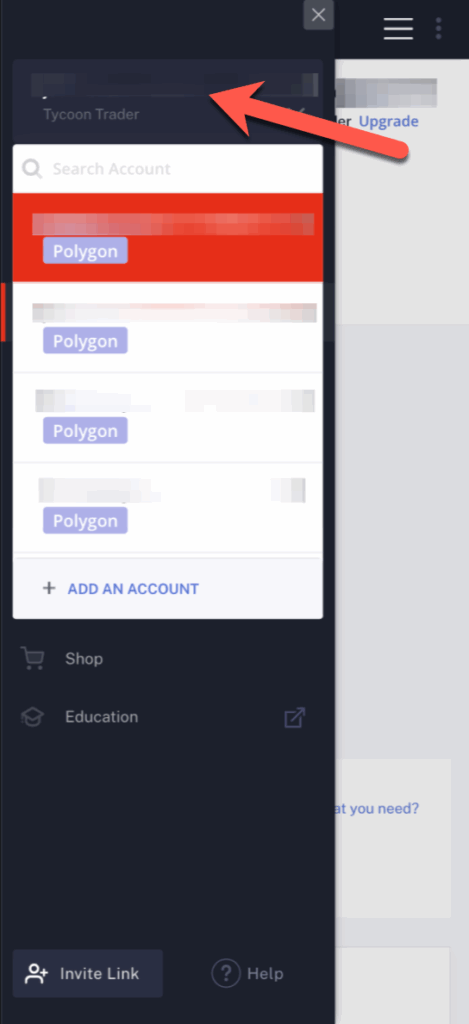
Step 1: Click on the hamburger menu


Step 2: Verify your account name

First, select the account you want to add OESP to. Follow the steps below to make a purchase at DealShaker using the account that obtained the OESP. Please note that you will not be able to shop if you have a different account.
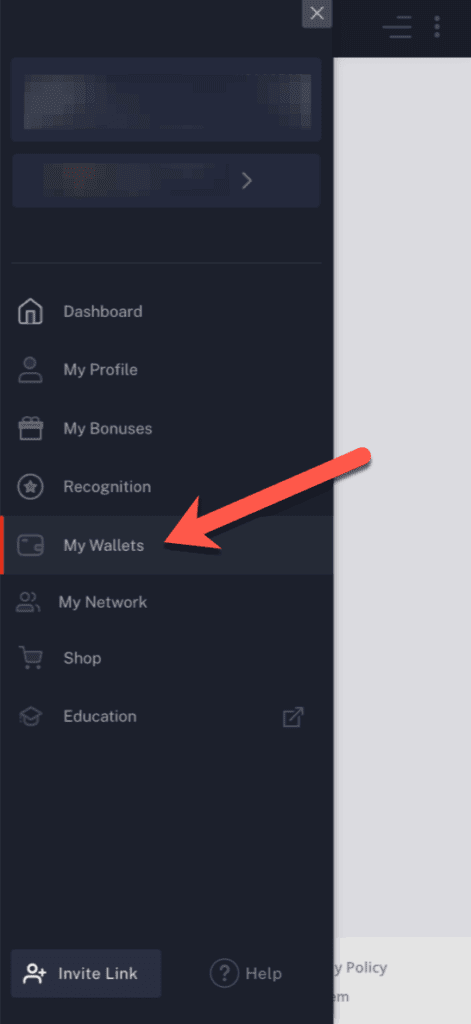
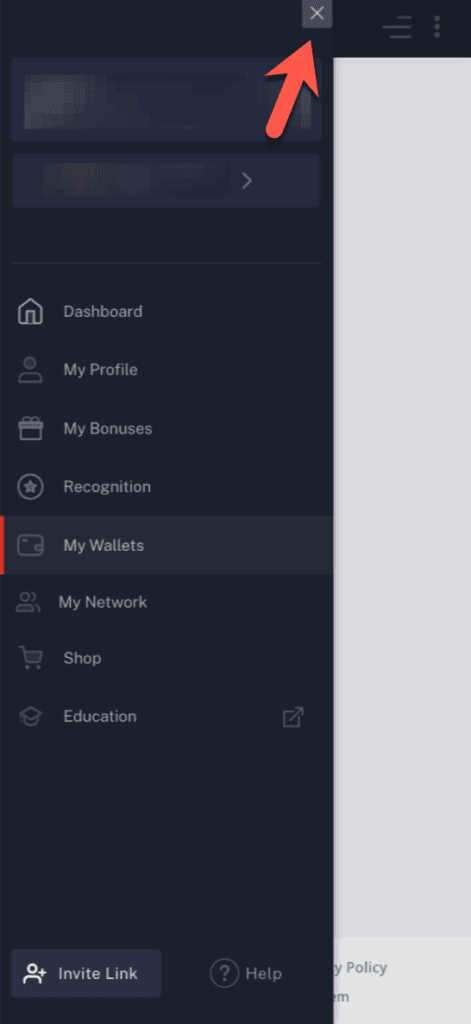
Step 3: Click on "My Wallets".


Step 4: Click on the X icon (X) to close the menu.


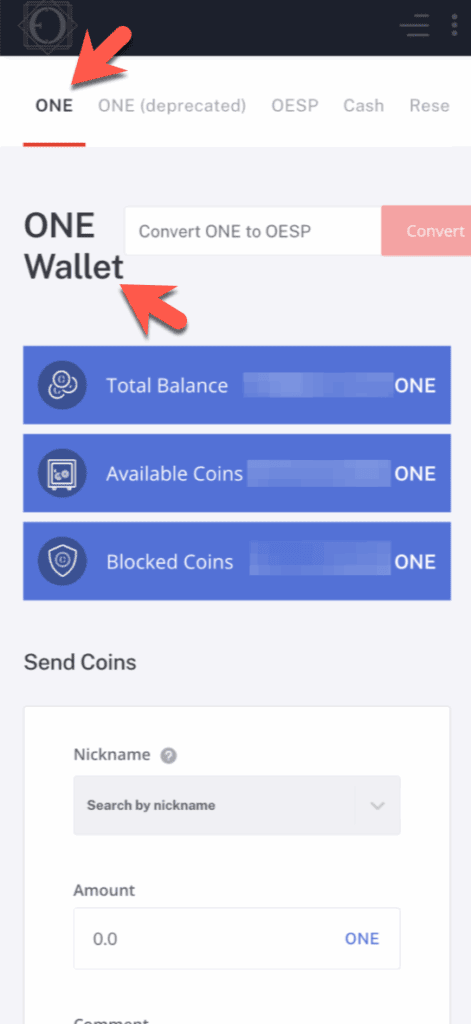
Step 5: Make sure your "ONE" wallet is open.


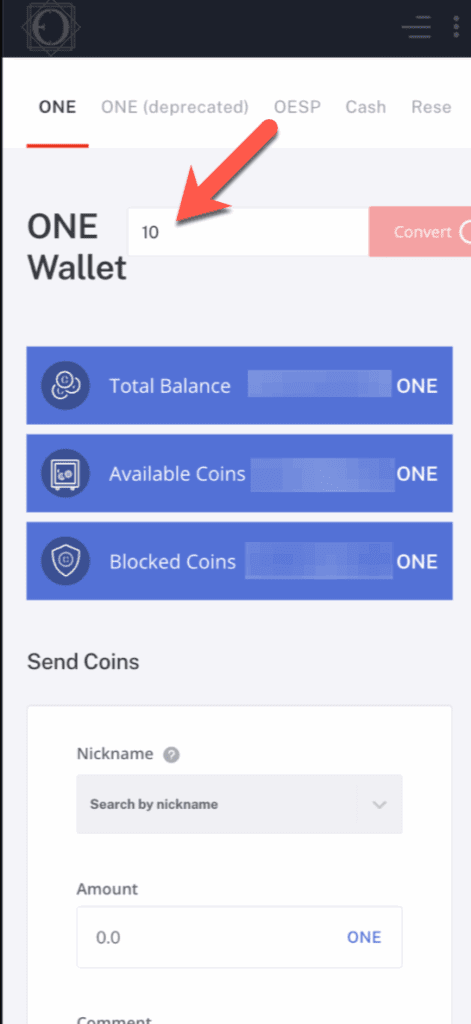
Step 6: Fill out the form at the top with the number of ONEs you want to exchange for OESP.


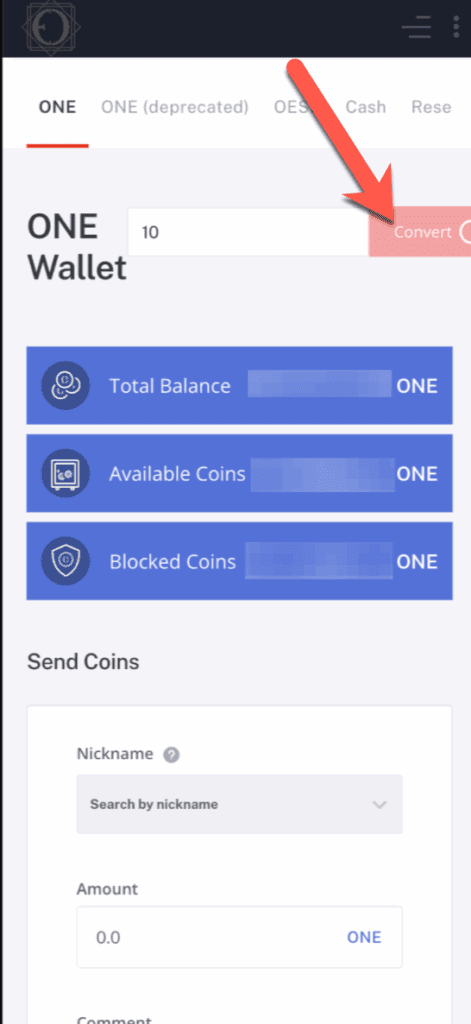
Step 7: Once you have entered the number of ONEs you want to exchange, click on the red Convert button.


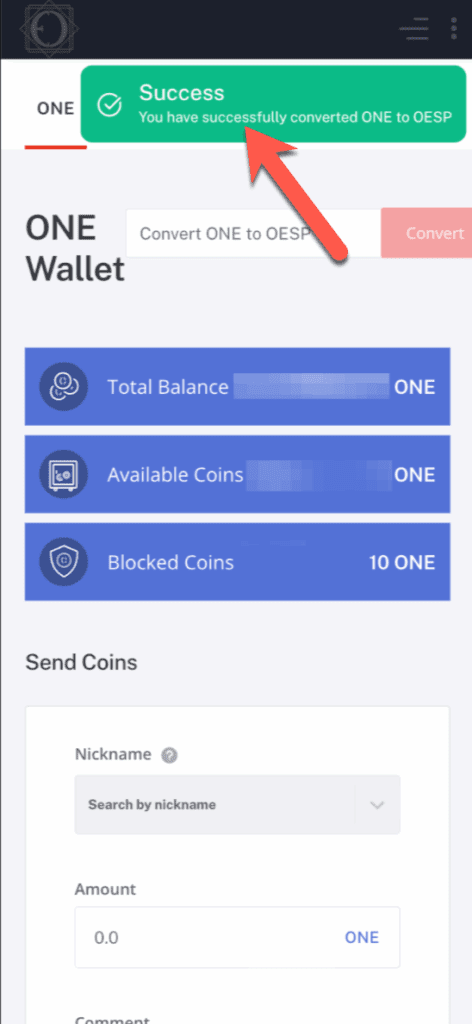
Step 8: If there are no problems, you will see a success notification.


Step 9: At the bottom of the screen, you can see that your application is pending.

You can see that ONE has been deducted for the amount you applied for replacement.
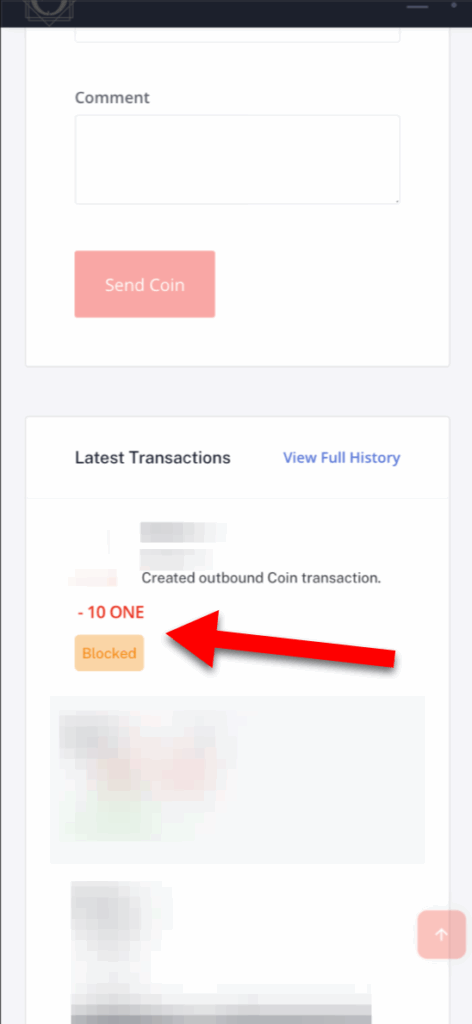

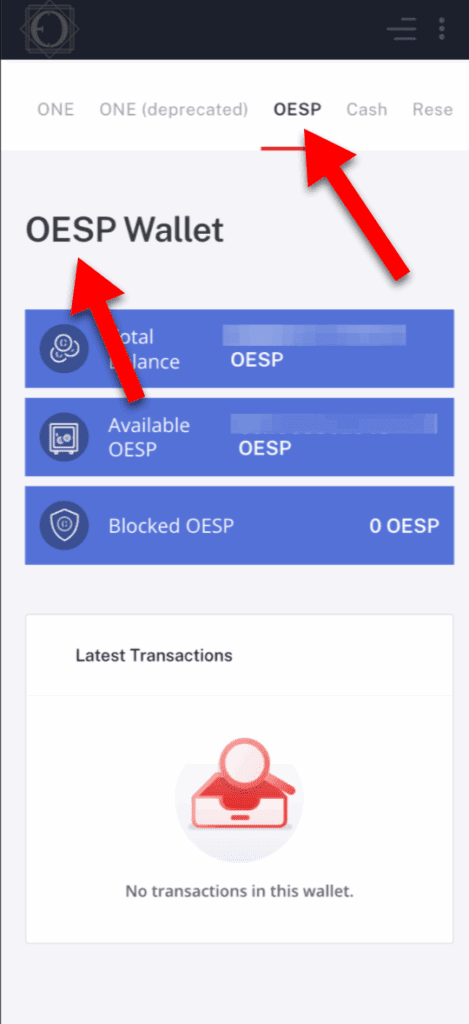
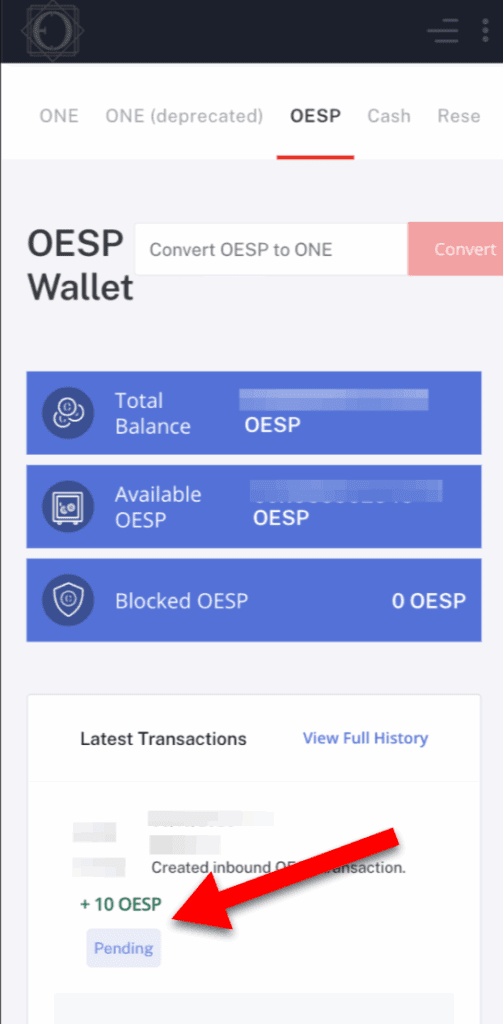
Step 10: Go back to the top menu and click on "OESP" to open your OESP wallet.


Step 11: You can see that the number of coins you applied for has been added to your OESP wallet history.

It can be seen that the exchange between ONE and OESP is pending immediately after applying for the exchange because it requires blockchain approval. Usually after a few minutes approval You can use it for shopping with DealShaker.

Questions about the above article

Questions related to the above article require a subscription of Bronze Supporter or higher.

Please log in or sign up.
Sign up
Stylized red and gray logo featuring a 3D geometric design with overlapping shapes. Copyright © 2020 – 2026 All Rights Reserved

Providing accurate information to the OneEcosystem community in Japan, sharing knowledge and facilitating member participation and improved experiences.
To the top
magnifier cross

Need help? Please contact our help desk.

0
Please let us know your comments and opinions about this article. x
( )
x